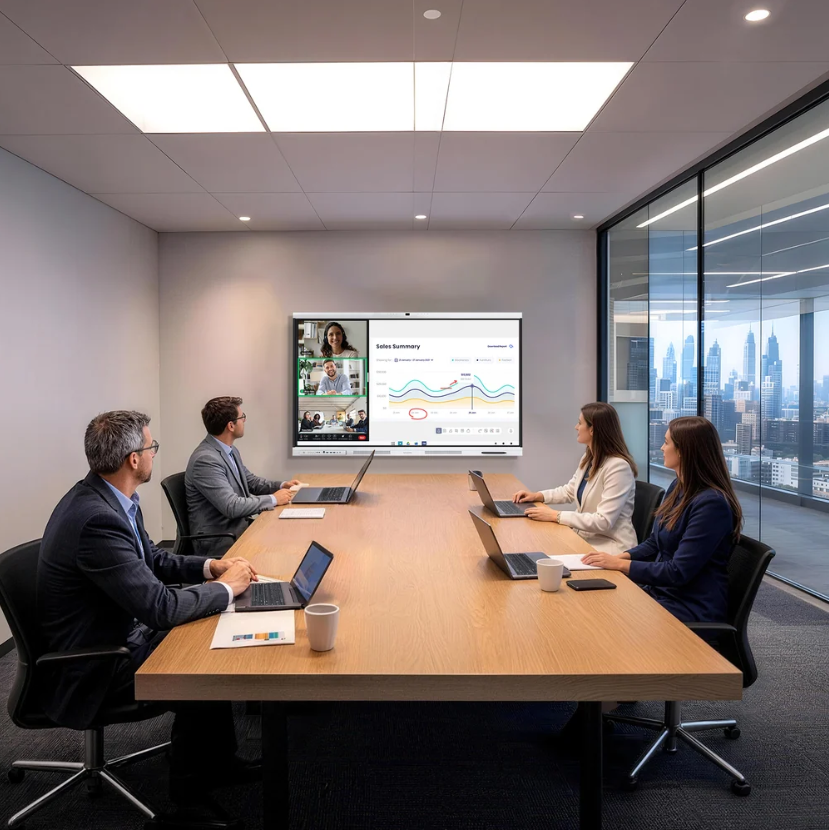
Choosing an interactive smart board for a school, meeting room, or training center involves more than comparing screen sizes and display quality. Procurement teams also need to assess audio pickup, camera performance, software compatibility, security, installation requirements, and long-term support. A device that works well in a demonstration may still create difficulties when deployed across several rooms or used by different teams every day.
A formal evaluation scorecard helps purchasing teams compare suppliers against the same criteria. It also gives IT departments, facilities managers, and end users a shared basis for discussing technical requirements, operational costs, and deployment priorities. With a consistent process, the final decision can reflect actual workplace needs rather than a collection of disconnected product specifications.
Set Clear Requirements Before Comparing Suppliers
Before reviewing vendors, procurement teams should document how the equipment will be used. A classroom may require frequent annotation and wireless screen sharing. A corporate meeting room may place greater emphasis on remote participants, voice clarity, and compatibility with existing computers. Training facilities may need both functions throughout the working day.
The evaluation team should also record room dimensions, expected attendance, network conditions, available connections, and the number of displays required. These details help buyers distinguish essential features from optional upgrades. They also reduce the risk of selecting a device that performs well individually but does not fit the wider deployment plan.
When reviewing Nework vs other smart boards, buyers should use identical questions for each supplier. Ask vendors to demonstrate the same tasks, explain their system requirements, and identify which features come as standard. Optional hardware, software subscriptions, and installation services should be listed separately so the comparison reflects the actual purchasing scope.
Assess Image and Audio Performance in Real Rooms
Camera specifications matter when meetings include remote participants. Procurement teams should check resolution, framing, lighting performance, and the camera’s ability to capture people seated at different positions. A high-resolution camera can provide detailed images, but room layout and lighting still affect the final result.
For example, a boardroom with a long table may require a wider field of view than a small interview room. Buyers should test the camera with people sitting near the edges of the frame. They should also check how the image appears on the remote participants’ screens during an actual video call.
Audio needs a separate assessment. Microphone quantity alone does not describe how clearly a system captures speech. Background noise, speaker distance, room acoustics, and the placement of ventilation equipment can all affect communication. During demonstrations, procurement teams should test conversations with several speakers and include realistic background noise.
The proposed Nework display configuration includes a 48MP Pro Camera with 4K clarity and intelligent 3A optimization, alongside 8 AI Mics and more than 300 noise filters. Buyers can use these specifications as starting points for a practical demonstration. They should ask vendors to explain the camera processing functions and microphone noise-filtering capabilities, then evaluate the results in their intended rooms.
Review Security and System Compatibility
Interactive displays connect to networks, computers, and collaboration tools. Security should therefore be part of the technical assessment rather than a final administrative check. IT teams should review operating system support, update arrangements, account management, network access, and the vendor’s documented security controls.
Google EDLA is another specification worth checking when Android-based applications and services form part of the intended workflow. The proposed Nework configuration includes Google EDLA, with enterprise-grade security and automatic system updates. Procurement teams should confirm the update policy, supported services, and applicable device management options before approving a fleet purchase.
Computer compatibility also affects daily operation. Some organizations rely on Windows applications for specialist training, internal software, or established meeting workflows. Others use browser-based tools and cloud collaboration platforms. The evaluation should identify which applications must run directly on the display and which can operate through a connected computer.
Optional OPS support may be relevant when buyers need a Windows-based computing option within a compatible display setup. The team should confirm module availability, supported configurations, licensing requirements, and the process for servicing or replacing the computing hardware. These checks help clarify the full cost and technical scope of the proposed installation.
Calculate the Cost Beyond the Purchase Price
Hardware pricing provides only one part of the financial picture. Procurement teams should include mounting, cabling, network preparation, installation labor, training, software licenses, and future maintenance where applicable. They should also identify which items are included in the quotation and which require separate purchases.
Deployment scale changes the calculation. Installing two displays in one office differs from equipping twenty classrooms across several buildings. A standardized configuration may simplify training and support, but the team should still check room-specific requirements and the availability of replacement parts.
When evaluating Nework vs other smart boards, buyers should compare the same deployment period and cost categories for every supplier. They should request written quotations and distinguish confirmed prices from estimates. This approach gives finance and IT teams a clearer basis for assessing the budget and explaining the purchasing decision.
Verify Vendor Commitments Before Approval
Technical demonstrations should be followed by written confirmation. Ask each vendor to document the proposed configuration, included accessories, software requirements, delivery schedule, warranty coverage, and support arrangements. For larger projects, a pilot installation can reveal network issues, training needs, or compatibility problems before the organization commits to a wider rollout.
Nework offers smart meeting displays and enterprise collaboration solutions for education and business environments. Its stated camera, microphone, security, and optional computing features provide specific points for procurement teams to evaluate. Buyers should still confirm the configuration, availability, and commercial terms applicable to their project.
Make the Decision on Verifiable Evidence
A sound procurement decision connects product capabilities with measurable operational needs. Consistent demonstrations, documented requirements, weighted scores, and comparable cost estimates make vendor assessments easier to review and explain. They also help teams identify gaps before contracts are signed.
Rather than selecting a display on specifications alone, procurement teams should consider how it will perform in real rooms, integrate with existing systems, and be maintained over time. A documented evaluation gives stakeholders a practical basis for choosing equipment that fits their intended use and deployment budget.
